BY ROBOLAB
█
A fast, offline-first screenshot tool for macOS and Windows. Everything happens on your machine — capture with a global shortcut, drag the useful part, and it lands in an editor that makes it beautiful before it hits your clipboard.
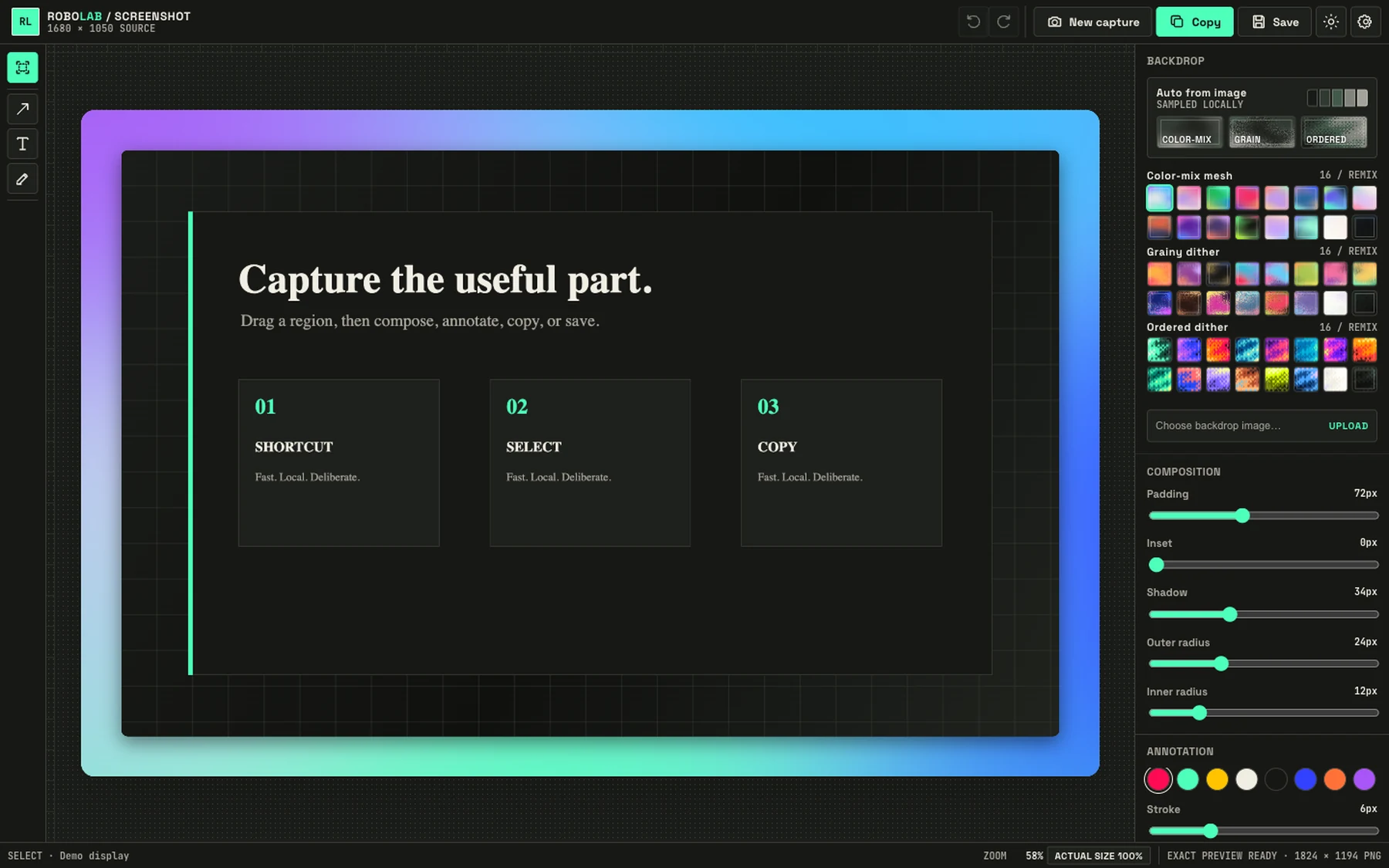
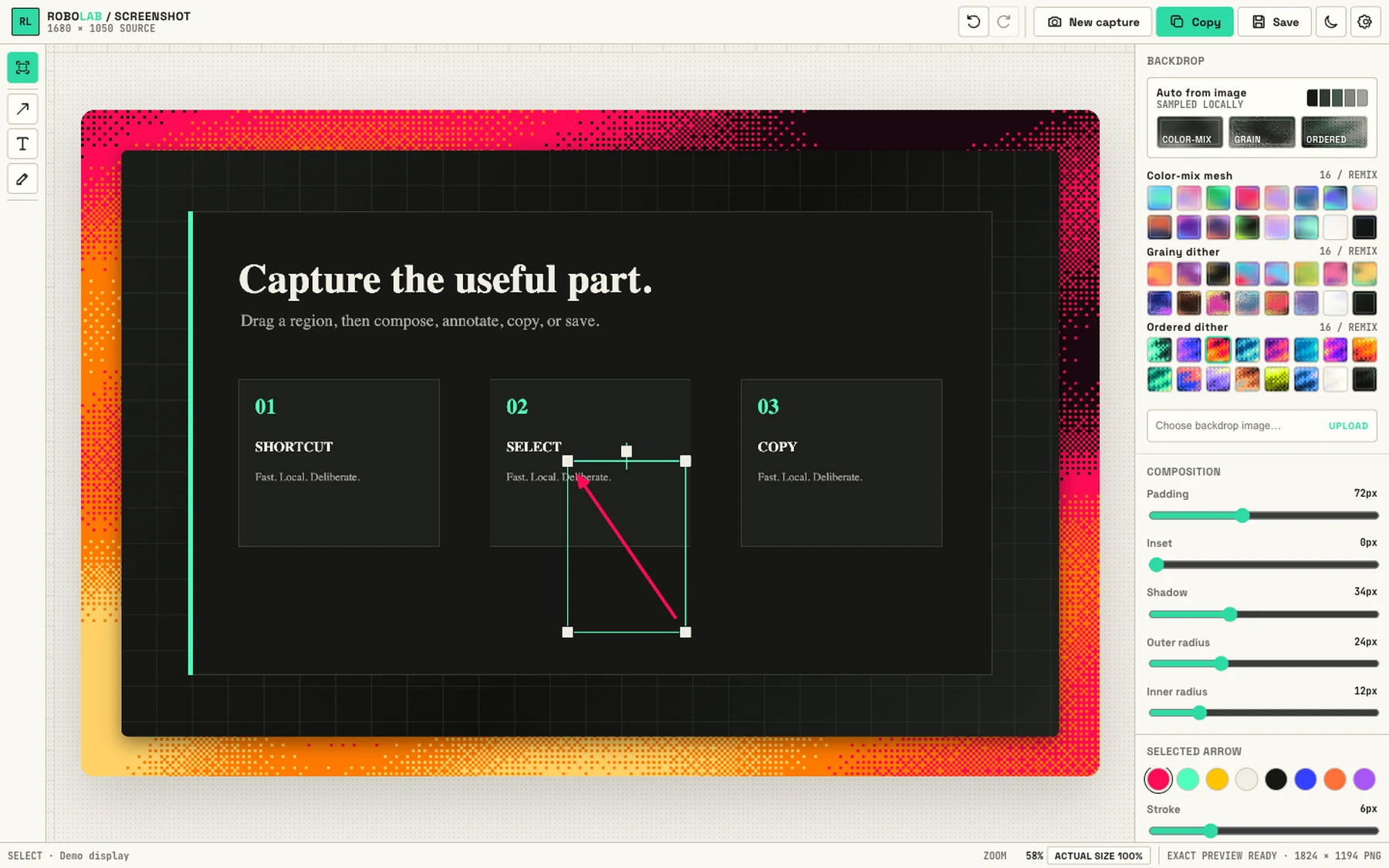
Your capture lands here already composed — backdrop applied, exact-pixel preview ready. Padding, inset, shadow, and radii ride on sliders; Copy is one keystroke away.
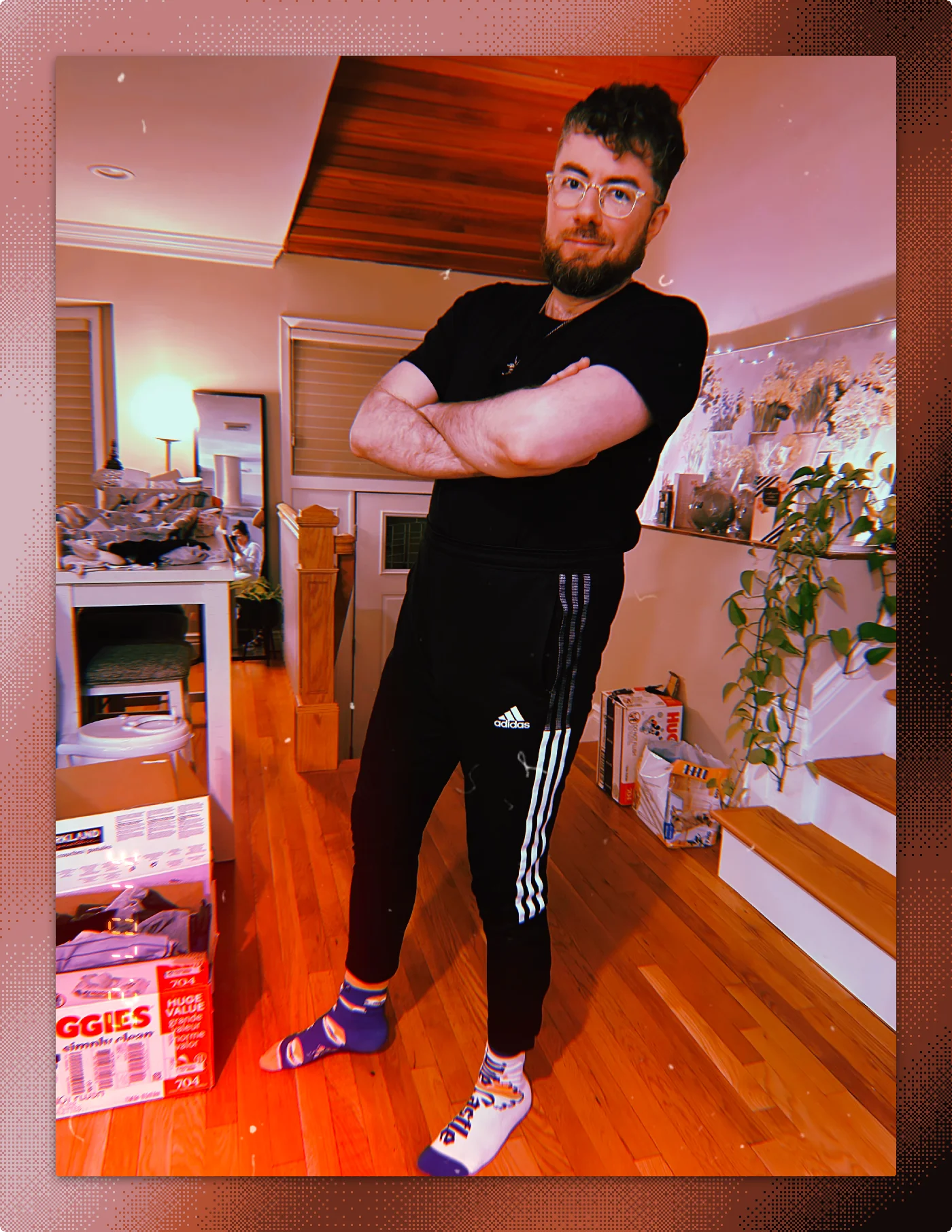
The editor reads the image's palette locally and generates backdrops to match — color-mix meshes, grainy dithers, ordered pixel weaves. This one was auto-woven from the photo's own colors. Remix with a click, or upload your own.
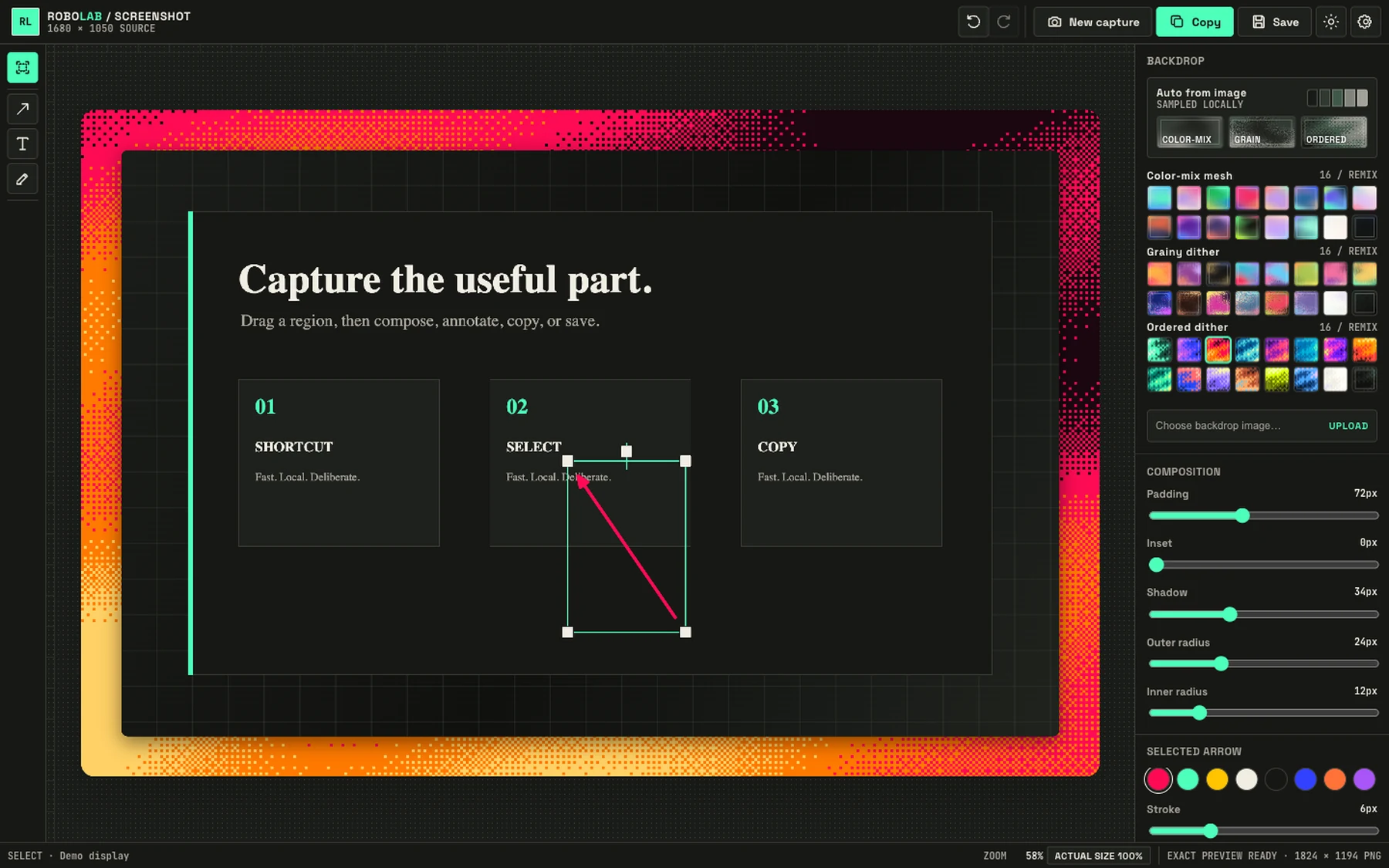
Arrows, text, freehand — drawn straight on the capture with undo you can trust. Pick a color, set the stroke, done. The exact-pixel preview means what you copy is what they see.
Light or dark. No account, no upload, no cloud between you and your clipboard. Native capture on both platforms — Windows Graphics Capture and macOS ScreenCaptureKit.